Using SLPL
Forums
Unless you have these instructions showing in a different
window as you try to complete them, you'll probably want to print
this page out.
Okay, first things first: You cannot login and contribute
to the SLPL Forums until you first register. Don't worry,
though ... you'll only have to register once.
To Register ...
So, how do you register? Complete steps 1 through 4 below.
(1) In
the menu, click once on SLPL Forums

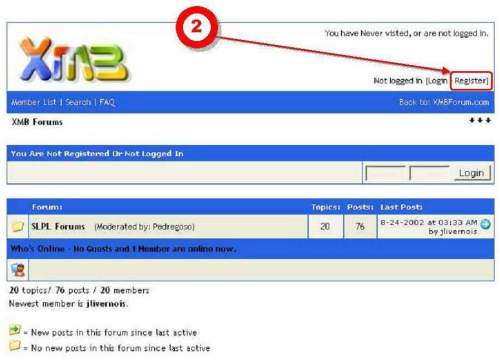
(2) Then,
click on "Register"
(3) Fill
out the required information. Make up and insert your own Username
(make it easy to remember). Come up with your own Password (make
it easy to remember). Insert your e-mail address. (Note: Inserting
your e-mail address will not generate "spam.")
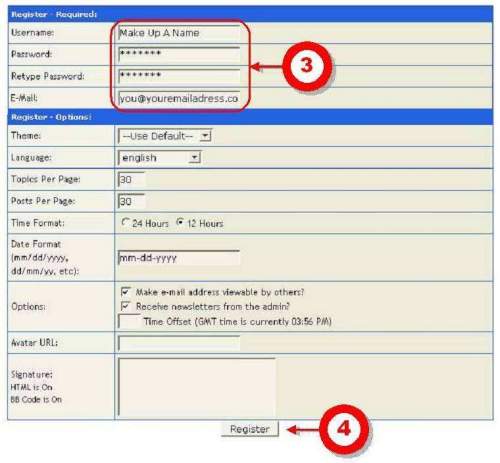
(4) After
filling in the required information, click the Register button.
You will then see the following confirmation screen.
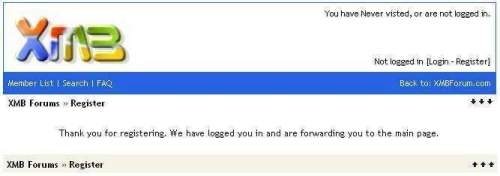
You are now registered and can now start contributing to the
Forums.
To Contribute...
So how do you contribute? Complete steps 5 through 10 below.
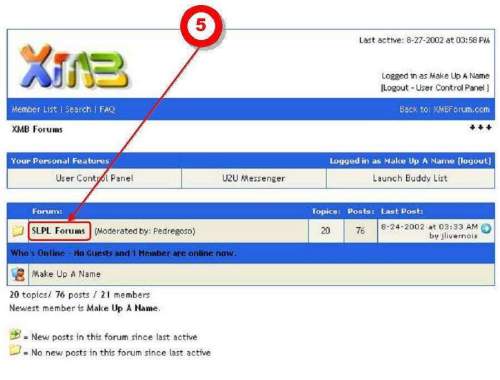
(5) First,
click on "SLPL Forums."
(6) If
you wanted to start a New Topic or a New Poll, you could do it
by clicking one of these buttons.
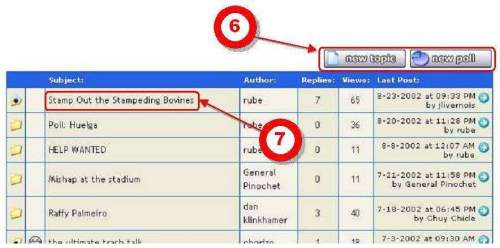
(7) To
read an existing topic, or subject, click on the topic name.
In this example, you'd click on "Stamp Out the Stampeding
Bovines."
(8) After
reading the messages, you can add a "reply" by clicking
on the New Reply button. (This button will be available at the
bottom of the screen, too.)
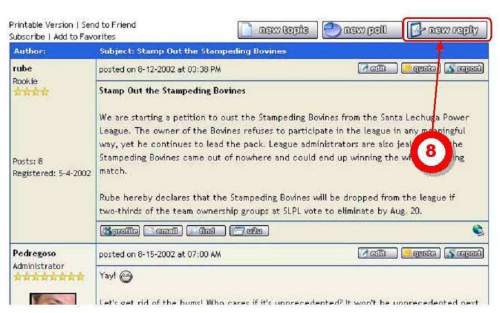
(9) Clicking
on "New Reply" in (8) will bring up the following screen.
Add your reply.
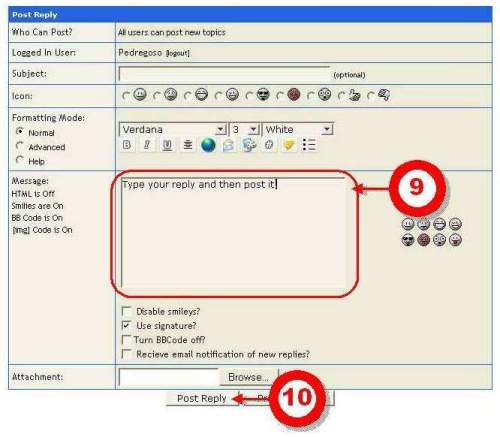
(10) After
you've typed your message, post your message to the forum by
clicking on the "Post Reply" button
And that's it. You'll be taken back to the forum, where you
can see your message.
Getting Back to the
Other Messages...
(11) If
you want to go back to the list of other forums, or subjects,
click on "SLPL Forums."
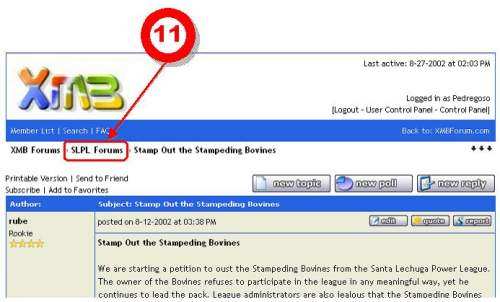
Then you'll be returned to the screen shown below:
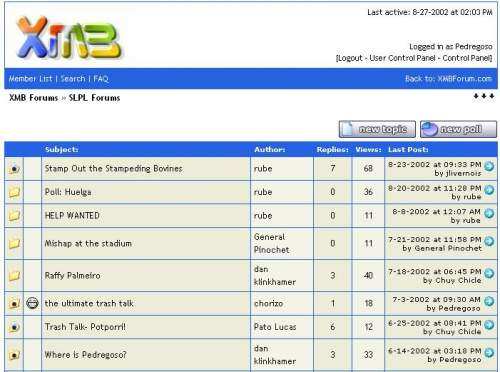
Here, you can select another subject, start a new topic, or
start a new poll as described in (6) above.
The Next Time You Visit
the Forums...
The next time you come to the SLPL Forums using the link in
the menu, you'll just need to "Login" using the Username
and Password you created when you registered. Then, just complete
steps 5 through 10 above.
|